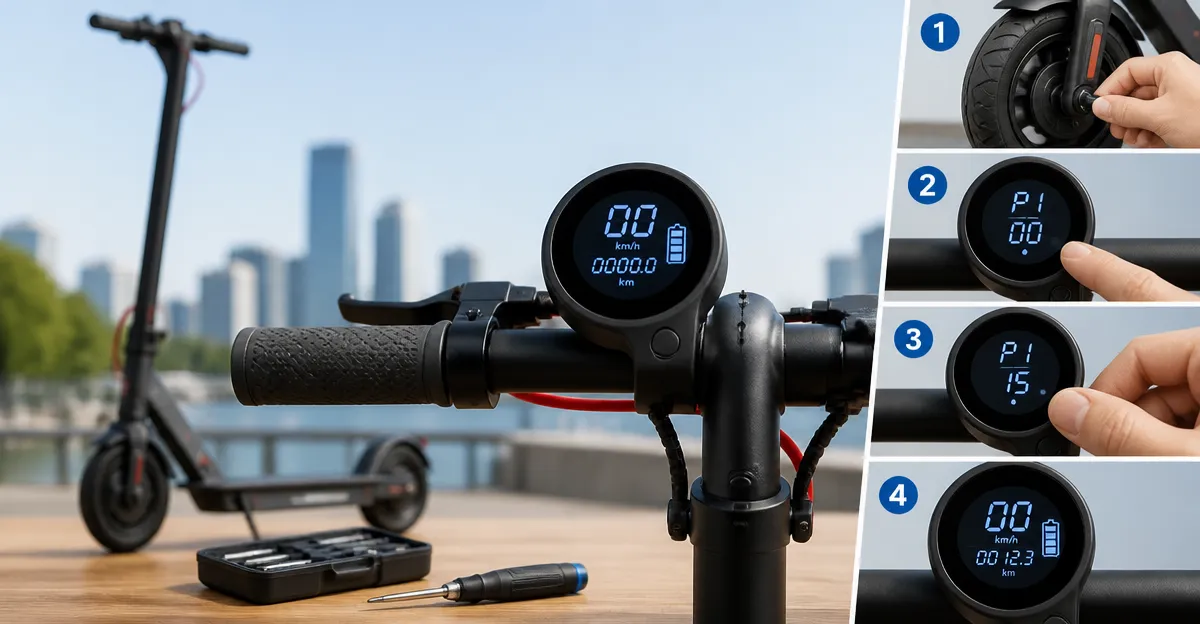
How to Calibrate Your Folding Scooter Speedometer and Odometer: A Step‑by‑Step Guide to Accurate Readings
Introduction
Accurate speedometer and odometer readings are essential for safe commuting, battery management, and legal compliance. This guide explains why calibration matters, outlines the necessary tools, and provides a detailed procedure that any scooter owner can follow. By the end of the article, the reader will be able to adjust the electronic display to match real‑world measurements, reducing the risk of over‑estimation that could lead to unexpected battery depletion.
The guide is written for intermediate users who are comfortable with basic mechanical adjustments but may not have extensive electronics experience. It balances thorough explanation with practical actions, ensuring that each step is clear and actionable.
What You’ll Need
- A reliable measuring tape or wheel circumference calculator.
- A digital stopwatch or smartphone timer with millisecond precision.
- A flat, straight road segment of at least 100 meters.
- Access to the scooter’s mobile app for firmware updates (if available).
- Optional: HopCycle Long‑Range Scooter – provides a stable platform for testing and demonstrates the app‑controlled calibration feature.
- Optional: Aovowheel Folding Scooter – a lightweight folding model whose built‑in diagnostics can be used as a reference device.
Step 1 – Verify the Current Calibration
Before making any adjustments, record the scooter’s displayed speed and distance over a known distance. Place the scooter at the starting line, start the timer, and ride at a steady pace to the finish line. Note the displayed speed at the midpoint and the total distance shown after completing the run. This baseline data will reveal the magnitude of the calibration error.
Why the optional HopCycle Long‑Range Scooter is useful here: it features an APP control that displays real‑time speed data, allowing a direct comparison between two devices on the same route. The 500W peak motor delivers consistent acceleration, reducing variability caused by motor lag.
Example: If the scooter displays 20 km/h while the timer records 18 km/h, the speedometer is over‑reading by roughly 11 percent.
Record the discrepancy in a notebook; you will use this value to calculate the new calibration factor.
Step 2 – Measure Wheel Circumference Accurately
The speedometer calculates speed based on wheel rotations. An accurate circumference measurement is therefore critical. Use a measuring tape to measure the distance around the outer tread of the tire. For pneumatic tires, include the tread depth; for solid tires, measure the outer rubber edge.
The Aovowheel Folding Scooter uses 8.5" solid tires, which are easy to measure because they do not deform under load. The product description notes that the solid tires provide a smooth ride, making the circumference stable across different temperatures.
Convert the measurement to centimeters (1 inch = 2.54 cm) and record the value. If the tire is 8.5 inches, the circumference is approximately 8.5 × π ≈ 26.7 inches, or 67.8 cm.
Enter this value into the scooter’s calibration menu if the firmware permits manual entry.
Step 3 – Access the Calibration Menu
Most modern folding scooters provide a hidden calibration menu accessed via the mobile app or a button sequence. For the HopCycle Long‑Range Scooter, open the official HopCycle app, navigate to Settings → Sensor Calibration, and select "Speedometer". For the Aovowheel Folding Scooter, press the power button three times quickly to enter service mode, then use the app to locate the calibration option.
Why the app is advantageous: it allows you to input the exact wheel circumference and automatically recalculates the scaling factor. This eliminates the need for manual firmware flashing, which could void the warranty.
If the scooter does not support app‑based calibration, consult the user manual for a hardware reset procedure using the scooter’s control panel.
Make sure the scooter is fully charged before proceeding, as some models require a minimum battery level to enter service mode.
Step 4 – Calculate the New Calibration Factor
Use the following formula: New Factor = (Actual Speed ÷ Displayed Speed) × Current Factor. If the current factor is 1.0 (default), and the actual speed measured in Step 1 was 18 km/h while the display read 20 km/h, the new factor becomes 0.9.
Enter the new factor into the app’s calibration field. Some scooters accept a percentage adjustment instead of a decimal; in that case, enter 90 %.
Save the settings and allow the scooter to reboot. The reboot ensures that the new parameters are loaded into the motor controller.
After reboot, repeat the test ride from Step 1 to confirm that the displayed speed now matches the measured speed within a 2 percent margin.
Step 5 – Calibrate the Odometer
The odometer uses the same wheel rotation data as the speedometer. Once the speed factor is correct, the distance calculation will automatically improve. However, verify the odometer by riding a precisely measured 1‑kilometer loop and noting the distance displayed.
If the odometer shows 1.05 km, the distance factor is 5 percent high. Adjust the odometer factor using the same percentage method applied to the speedometer.
For scooters that separate speed and distance factors, locate the "Odometer Calibration" field in the app and input the corrected value.
Confirm accuracy by repeating the loop two more times; the displayed distance should remain consistent with the measured distance.
Tips & Pro Tips
- Perform calibration on a flat surface; inclines can distort speed measurements.
- Use a digital stopwatch rather than a manual timer to reduce human error.
- When measuring tire circumference, do it with the tire inflated to its recommended pressure (typically 30–35 psi for pneumatic tires).
- Store the calibration factor in a personal notebook; future firmware updates may reset the values.
- If the scooter supports multiple riding modes (e.g., Eco, Sport), calibrate each mode separately, as the controller may apply different scaling factors.
Troubleshooting
Problem: Speedometer still over‑reads after calibration.
Solution: Verify that the wheel circumference entered matches the exact tire size. Re‑measure the tire and update the value. Check for firmware updates that may reset custom settings.
Problem: Odometer resets to zero after each ride.
Solution: Ensure the scooter’s battery management system is not entering a low‑power state that clears volatile memory. Some models require a permanent memory upgrade to retain calibration data.
Problem: App cannot connect to the scooter.
Solution: Restart both the smartphone Bluetooth module and the scooter. Verify that the scooter’s firmware version is compatible with the app version.
Conclusion
Calibrating the speedometer and odometer of a folding scooter enhances safety, extends battery life, and provides reliable trip data. By following the five steps outlined above, the reader can achieve accurate readings without professional assistance. Regular verification, especially after tire replacement or firmware updates, will maintain precision over the scooter’s lifespan.
Remember that proper tools—such as a measuring tape, stopwatch, and a compatible mobile app—are essential for success. The optional HopCycle Long‑Range Scooter and Aovowheel Folding Scooter demonstrate how built‑in diagnostics simplify the process, but the procedure works equally well on any model with accessible calibration settings.
Products Mentioned in This Guide
HopCycle Long‑Range Scooter
Powerful 500W peak motor, up to 21 miles range, dual braking system, and APP control for precise calibration. Price not disclosed; highly rated for performance and durability.
Aovowheel Folding Scooter
Price: CAD 224.47 • Rating: 4 / 5.0 (752 reviews). Features a 250‑500W motor, solid 8.5" tires, dual brakes, and a lightweight folding design that aids in portable calibration testing.
Frequently Asked Questions
Why is calibrating a folding scooter's speedometer important?
Accurate speedometer readings ensure safe riding, proper battery management, and compliance with speed regulations.
What tools are required to calibrate the speedometer and odometer?
You need a measuring tape or wheel circumference calculator, a digital stopwatch or smartphone timer, a flat 100‑meter road segment, and access to the scooter’s mobile app for firmware updates.
How do I measure the scooter's wheel circumference for calibration?
Mark a point on the tire, roll the scooter forward one full rotation, measure the distance traveled, and use that value as the wheel circumference.
What is the step‑by‑step process to calibrate the speedometer?
Measure the wheel circumference, set a known distance (e.g., 100 m), ride the scooter at a steady speed while timing the run, compare the displayed speed/odometer to the actual values, and adjust the calibration settings in the app accordingly.
How often should I recalibrate my folding scooter?
Recalibrate after firmware updates, tire changes, or if you notice significant discrepancies in speed or distance readings.