Introduction
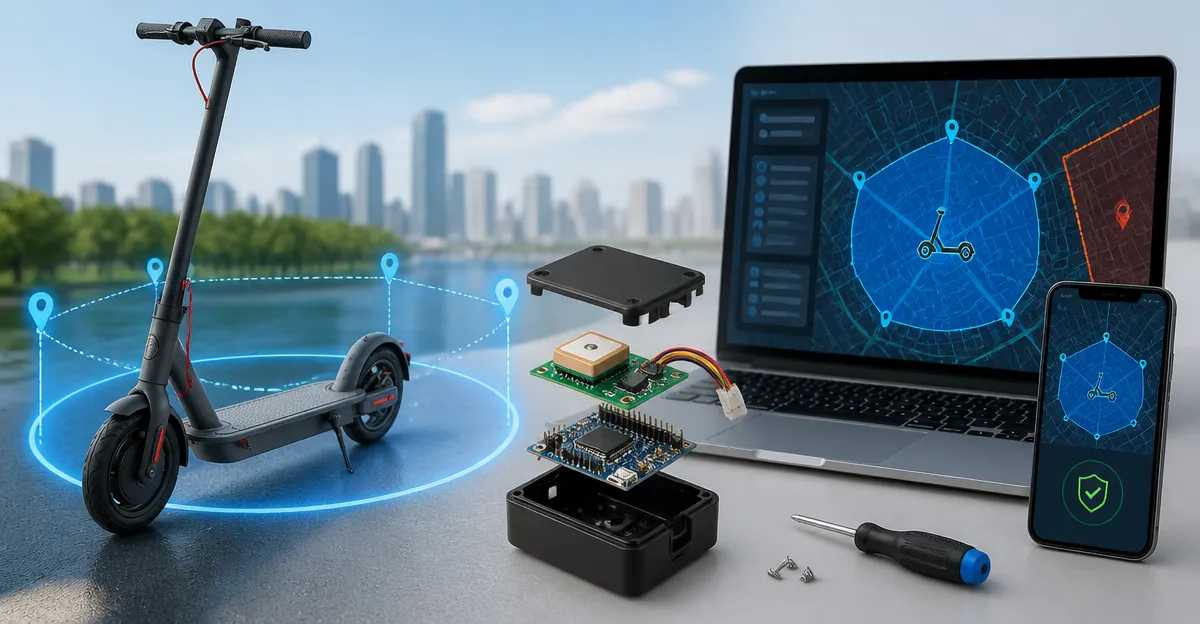
In this guide one will learn how to design, assemble, and deploy an open‑source geofencing solution for electric scooters. The process covers hardware selection, firmware configuration, power budgeting, and secure installation. By the end of the tutorial the reader will possess a fully functional prototype that can enforce virtual boundaries, send alerts when a scooter leaves a permitted zone, and operate without recurring subscription fees. The knowledge gained is valuable for fleet operators, hobbyists, and municipalities seeking cost‑effective asset protection.
What You'll Need
- Microcontroller board (e.g., ESP32 or Arduino Nano 33 IoT)
- GPS tracking device compatible with Apple Find My or Android platforms
- Battery pack with sufficient capacity for multi‑day operation
- Water‑proof enclosure or mounting kit
- Soldering tools, jumper wires, and a small screwdriver set
- Optional: OBD‑II adapter for vehicles that require diagnostic data
The following commercial trackers are recommended because they provide real‑time location updates without monthly fees, feature robust waterproof ratings, and integrate easily with mobile applications.
Step 1: Choose a Microcontroller Board
The heart of the geofencing system is a microcontroller capable of handling Bluetooth Low Energy (BLE) communication and executing geofence logic. An ESP32 offers dual‑core processing, Wi‑Fi, and BLE in a compact form factor, making it ideal for scooter installations. Connect the board to a breadboard for initial testing, then solder connections for permanent deployment. Ensure the board runs on 3.3 V to match the voltage requirements of most GPS modules.
Step 2: Select a GPS Tracker
For accurate location data without a subscription, the Yinnovy Find My GPS Tracker is an excellent choice. It weighs only 0.3 oz, adheres with a magnetic clip, and operates on a CR2032 battery lasting up to one year. The device leverages Apple's Find My network, providing crowd‑sourced updates that are precise even in urban canyons. Its IP68 waterproof rating ensures reliable performance during rain or scooter washes. With a price of $11.99 and a rating of 4.2/5 from 16 reviews, it offers a low‑cost, low‑maintenance solution.
Another viable option is the Lwyinp Magnetic GPS Tracker. Priced at $22.99 and rated 3.9/5, it also uses Apple's Find My network and includes a built‑in magnet for discreet mounting on metal scooter frames. Its compact dimensions (1.3 in, 0.4 oz) make it suitable for hidden placement under the deck board.
If the scooter fleet requires diagnostic data such as battery health or speed monitoring, the Bouncie GPS Vehicle Tracker can be connected to the scooter's OBD‑II port. Although it requires a $9.65 monthly subscription, it provides route history, speed alerts, and engine diagnostics that can enhance fleet management. The device costs $89.99 and holds a 4.6/5 rating from 6,657 reviews.
Step 3: Integrate the Geofencing Engine
Program the microcontroller to compare the GPS coordinates received from the chosen tracker against predefined polygonal zones. Open‑source libraries such as "TinyGPS++" for Arduino or "esp32‑geofence" for ESP‑IDF simplify point‑in‑polygon calculations. Store geofence vertices in the device's flash memory, and update them via OTA (over‑the‑air) when the fleet manager modifies operational boundaries. When a violation occurs, trigger a BLE notification to a paired smartphone or send an MQTT message to a cloud broker.
For audible alerts, the ZXHTQTX GPS Vehicle Tracker includes a 100 dB speaker that can be repurposed as a panic alarm. At $29.97 with a 4.5/5 rating, it also offers a two‑year battery life and dual‑system compatibility with both Find My and Google Find Hub, making it a flexible addition to the geofencing stack.
Step 4: Power Management
Because e‑scooters already carry a lithium‑ion battery, tap into the existing power rail using a step‑down regulator to supply 3.3 V to the microcontroller and tracker. If a separate power source is preferred, select a rechargeable Li‑Po pack rated for at least 2000 mAh. Combine this with a low‑dropout regulator to maintain stable voltage during high‑current draw from the speaker or BLE transmission.
The LandAirSea 54 GPS Tracker demonstrates efficient power usage with a motion‑activated sleep mode. Although it requires a subscription, its battery lasts 8‑10 days on a single charge, illustrating the benefits of duty‑cycling the GPS module when the scooter is idle.
Step 5: Enclosure and Installation
Protect the electronics with an IP65‑rated enclosure that can be mounted under the scooter deck. The enclosure should have a small opening for the magnetic GPS tracker to maintain line‑of‑sight to nearby Apple devices. Use silicone gaskets to seal seams and prevent moisture ingress. Secure the enclosure with stainless‑steel screws to avoid corrosion.
For magnetic mounting, the Yinnovy and Lwyinp trackers both feature strong built‑in magnets. Place the tracker on the metal frame, then cover it with a thin plastic shield to protect it from accidental impact while keeping the magnetic field active.
Tips & Pro Tips
- Test the tracker in an open field before permanent installation to verify that the Find My network reports accurate locations.
- Configure geofence polygons with a buffer zone of at least 10 meters to reduce false positives caused by GPS jitter.
- Enable the loud alert on the ZXHTQTX tracker to locate a misplaced scooter quickly in crowded parking lots.
- Schedule firmware updates during low‑traffic periods to avoid disrupting scooter availability.
- Document the exact mounting location and orientation for future maintenance and warranty claims.
Troubleshooting
Issue: Tracker does not appear in the Find My app.
Solution: Ensure the tracker is within range of an iPhone or iPad that has an active internet connection. Restart the Bluetooth module on the microcontroller and re‑pair the device.
Issue: Geofence violation alerts are delayed.
Solution: Reduce the BLE advertising interval on the microcontroller and verify that the scooter’s cellular environment provides sufficient nearby Apple devices for crowd‑sourced updates.
Conclusion
This guide has demonstrated how to build a cost‑effective, open‑source geofencing system for e‑scooters using readily available GPS trackers and microcontroller hardware. By selecting a subscription‑free tracker such as the Yinnovy Find My GPS Tracker, integrating a robust geofence engine, and protecting the assembly with a waterproof enclosure, one can achieve reliable asset protection without recurring fees. The principles described herein can be adapted to other micro‑mobility assets, providing a scalable foundation for smart city initiatives.
Products Mentioned in This Guide
Frequently Asked Questions
What microcontroller is recommended for an open‑source e‑scooter geofencing project?
Both ESP32 and Arduino Nano 33 IoT work well; ESP32 offers built‑in Wi‑Fi/BLE and more processing power.
How does the geofencing hardware send alerts when a scooter leaves a permitted zone?
The GPS module reports location to the firmware, which compares it to predefined coordinates and triggers a push notification or SMS via Wi‑Fi or cellular.
Can the system operate without a monthly subscription fee?
Yes, using offline GPS trackers and local Wi‑Fi or LoRa communication eliminates recurring service costs.
What power source is needed for multi‑day operation of the geofence device?
A rechargeable Li‑Po or Li‑Ion battery pack sized for at least 24‑48 hours of continuous GPS and communication use.
Is a waterproof enclosure necessary for e‑scooter installations?
A weather‑rated enclosure protects the electronics from rain, dust, and vibration, ensuring reliable performance outdoors.